HR monitoringHR · 2025 · n8n workflow
The spreadsheet emails HR by itself when a deadline nears.
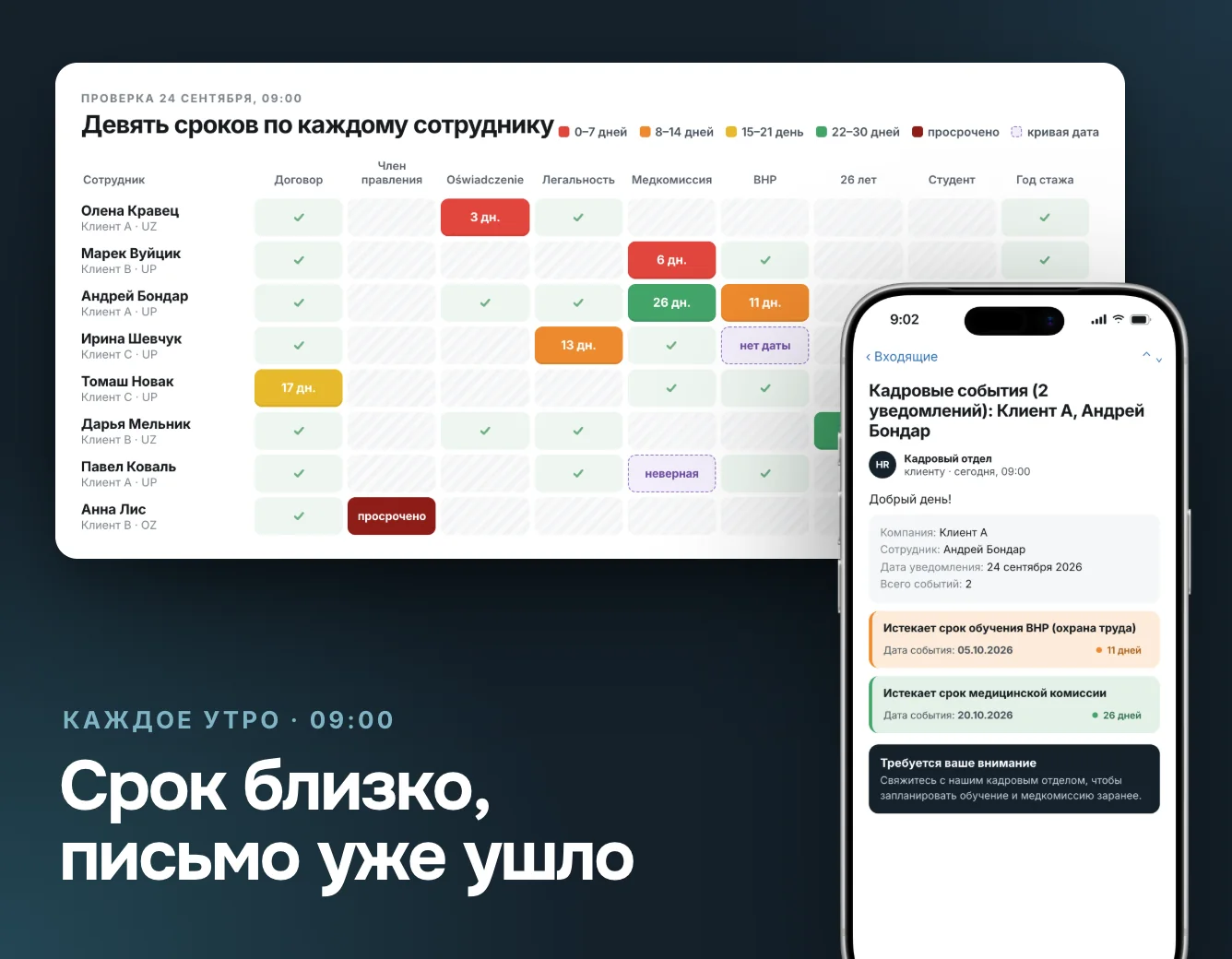
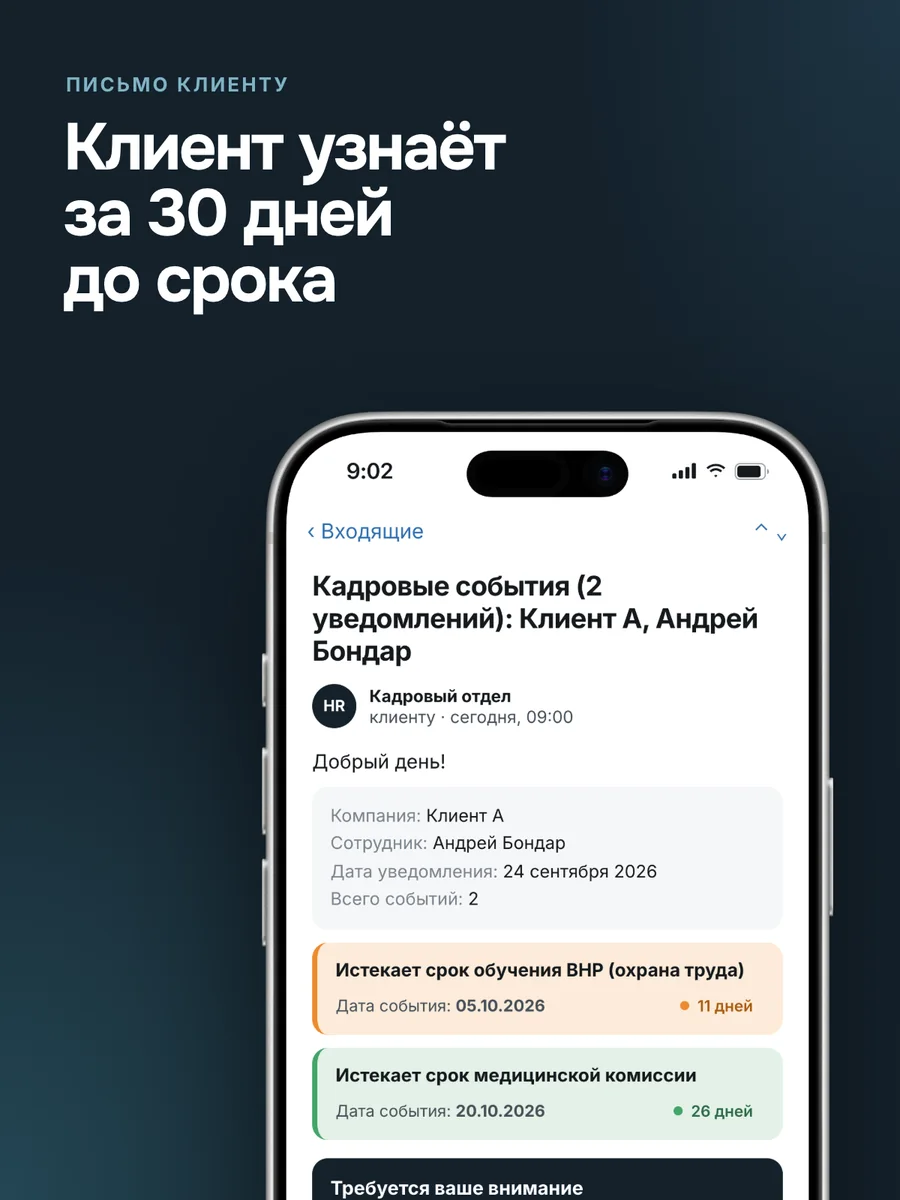
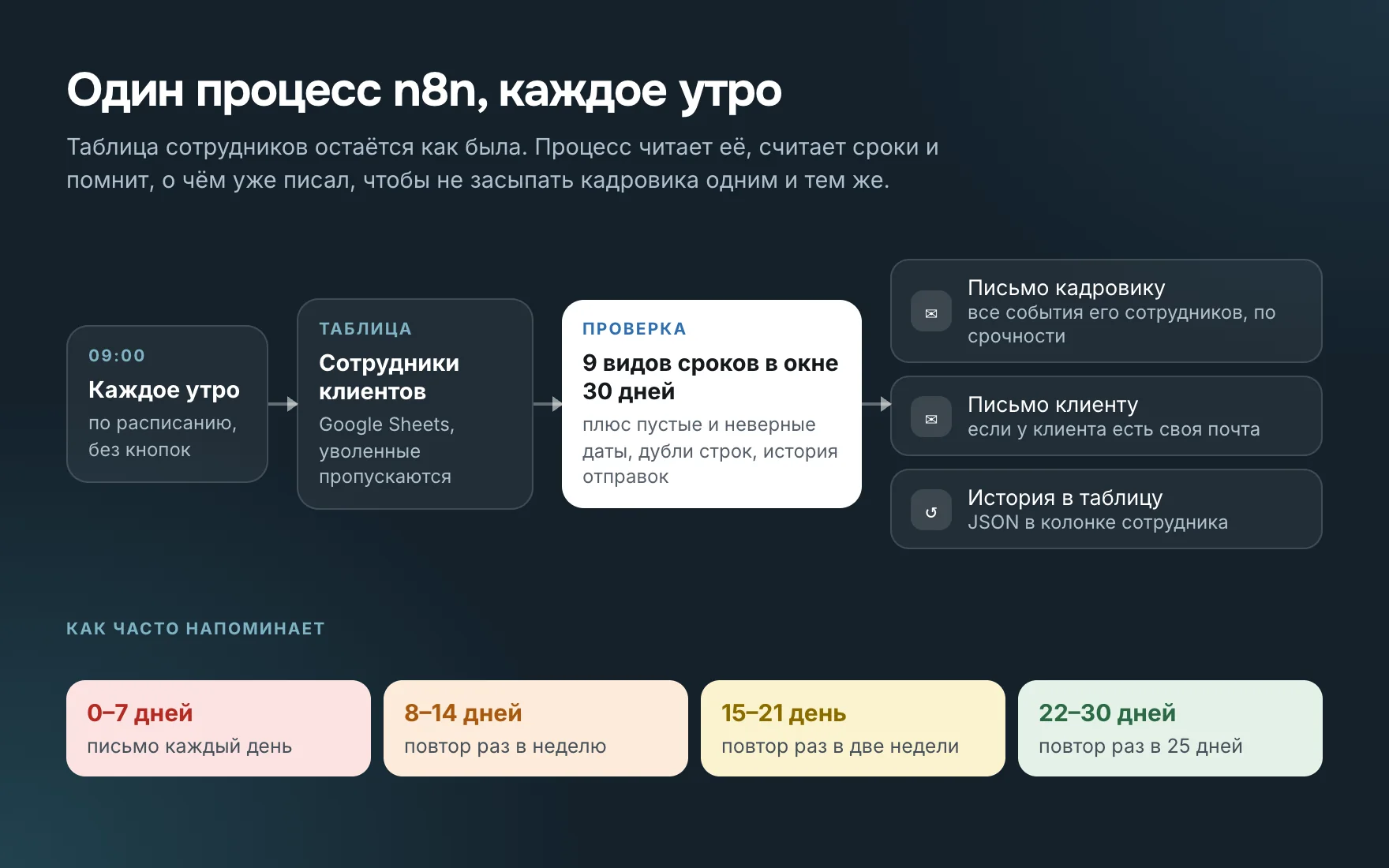
Every morning an n8n workflow at a Polish HR outsourcer reads client employee records, checks nine deadline types and blank dates, and emails HR and the client 30 days ahead.
Built the whole workflow: deadline checks, emails to the HR officer and the client, the send history.
The same deadline
A client employee's work permit, three days left- The date sits in one of the rows of a shared spreadsheet.
- You only see it if the HR officer opens the right column.
- Nobody notices an empty or broken date.
30 days out, the HR officer gets an email with the deadline already in its urgency group. Inside a week, the email comes daily until the date is updated in the spreadsheet.
Why this is harder than a reminder
Medical checks and BHP safety training apply only to employment contracts, a mandate only to board members, and open-ended contracts aren't checked at all. The workflow knows what applies to whom.
Dates come as 05.10.2026, 10/05/2026 or "czas nieokreślony". The workflow parses every format, and an empty or impossible date like February 31 gets a separate line.
The send history lives in the spreadsheet itself. A deadline under a week out is sent daily, under two weeks weekly, further out less often. HR doesn't get buried in repeats.
What's inside
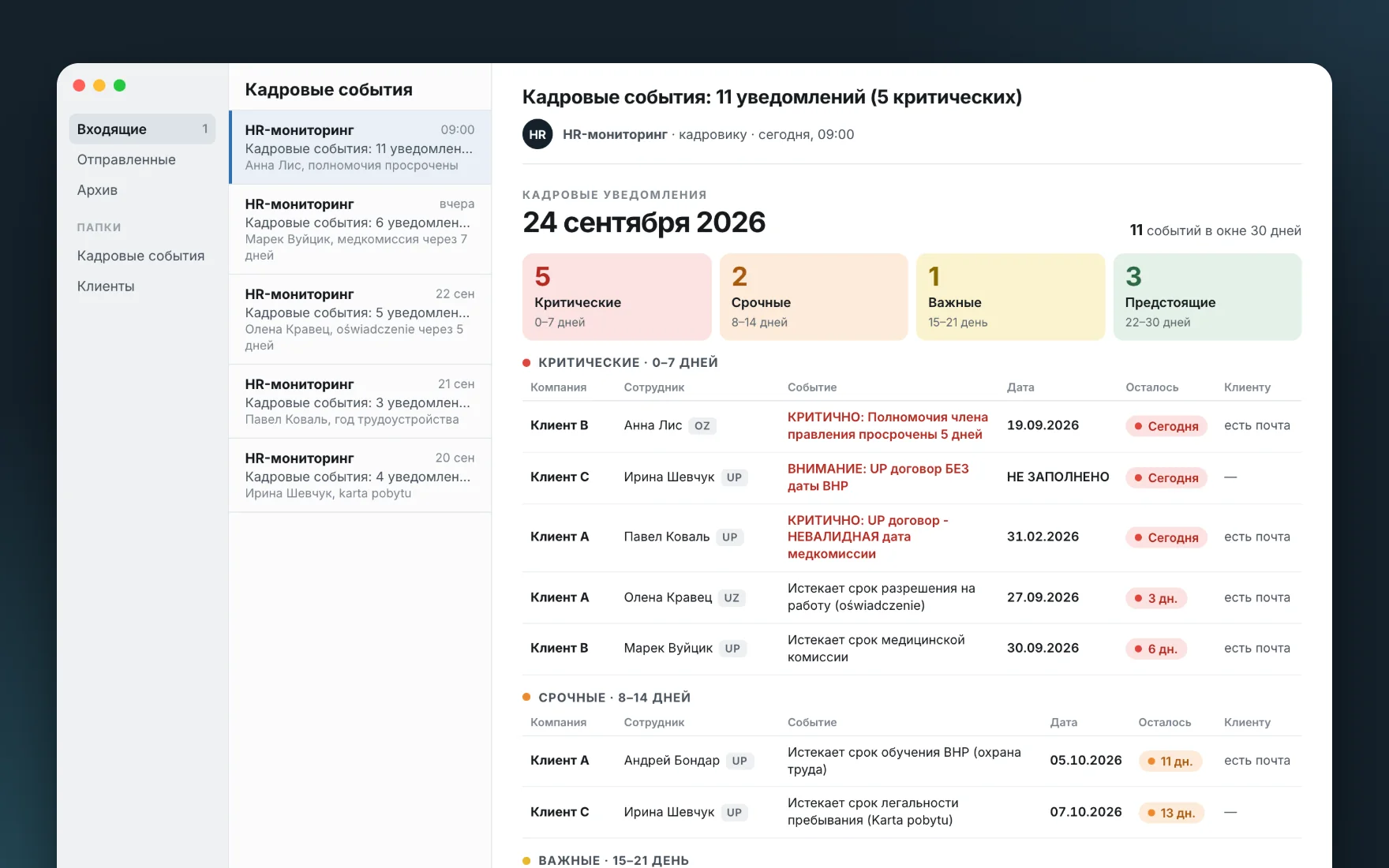
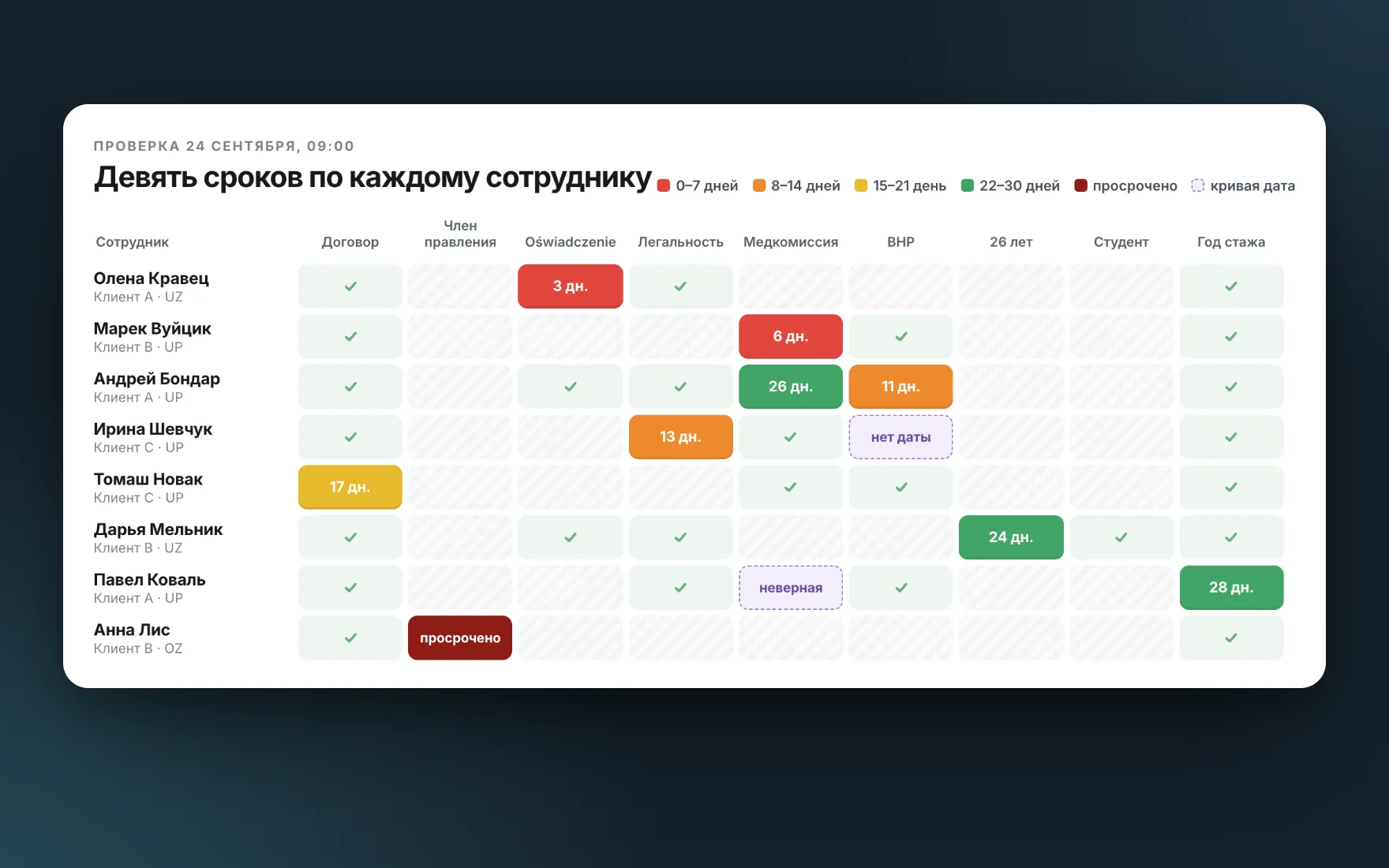
Contract, oświadczenie, legal stay, medical check, BHP and four more.
Four urgency levels: one, two or three weeks, or a month.
All their employees in one email, from urgent to calm.
Separately for each employee, if the client has its own mailbox.
Go first in the email, along with the most urgent.
The workflow skips leavers and resets history for duplicate rows.